Private home networking · no cloud

Your home computers,
finally talking.

HearthWire turns the PCs in your home into one simple, private network. Send popup messages, share and sync folders, run programs from another computer, and help family by viewing or controlling their screen, with permission. No cloud, no accounts, no setup. It lives quietly in your tray and everything stays on your home network.

🛍 Get it on theMicrosoft Store $24.99 one-time · Windows 10 & 11 · 64-bit

💻 Install HearthWire on each computer you want to connect, so they can find and talk to each other.

🌐 Available in English, Français, Deutsch, Español, Português, Italiano, Nederlands, Polski, 日本語, עברית, and العربية

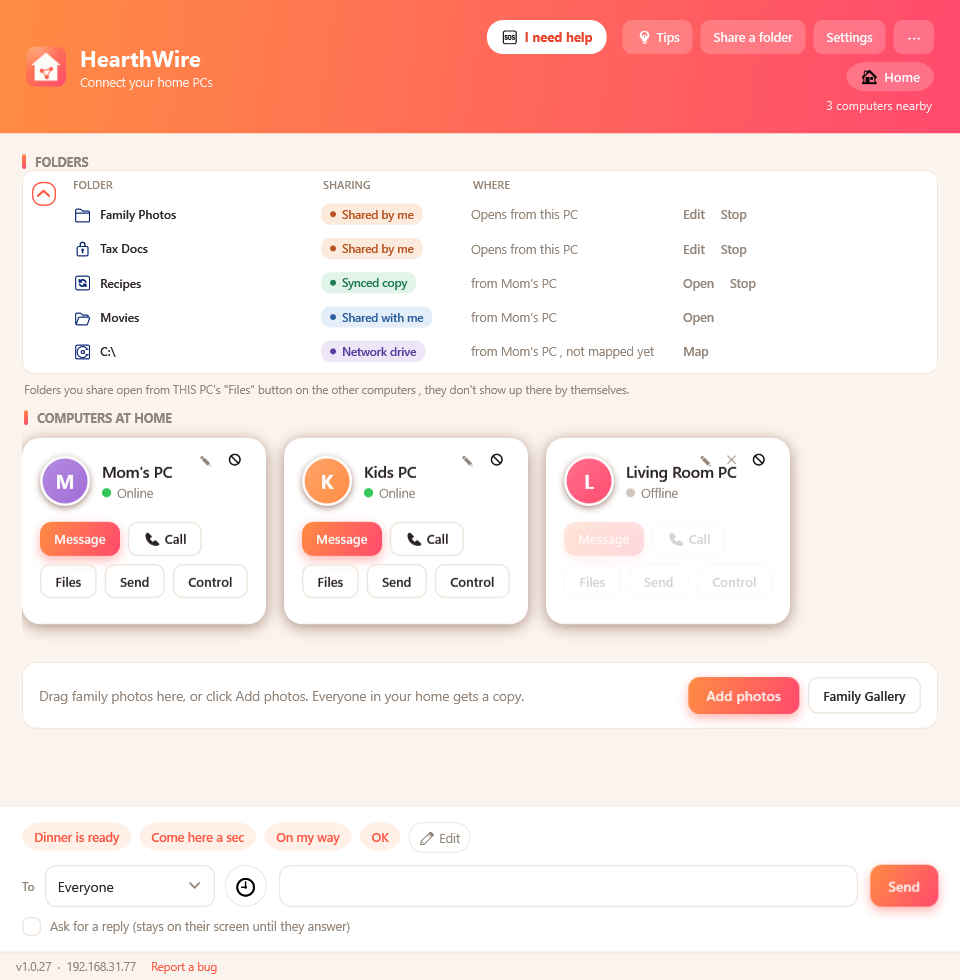
HearthWire main window: computers at home, shared folders, and quick messages

Everything your home network should just do

One small app on each PC, and the computers in your home start working together.

💬

Popup messages

Send a message that pops up on another computer. Ask for a reply and it stays on their screen until they answer.

📁

Share folders

Share a folder so family can open your photos and files from their own PC, no cloud, no uploads.

🔄

Sync on every PC

Keep a folder copied and up to date on every computer, so it's there even when yours is turned off.

💽

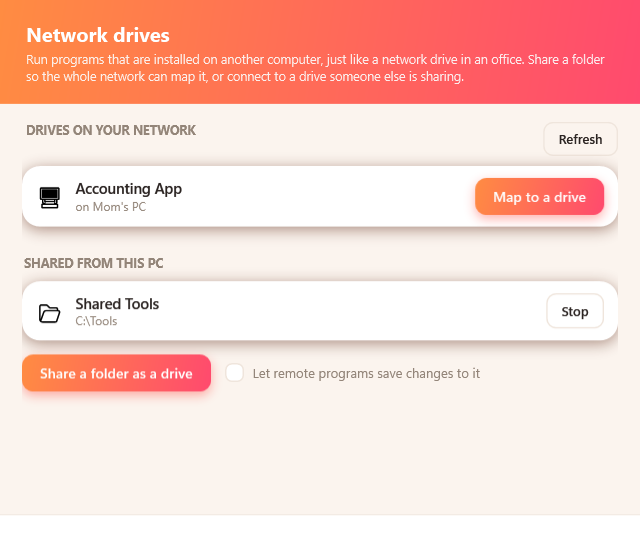
Run programs from another PC

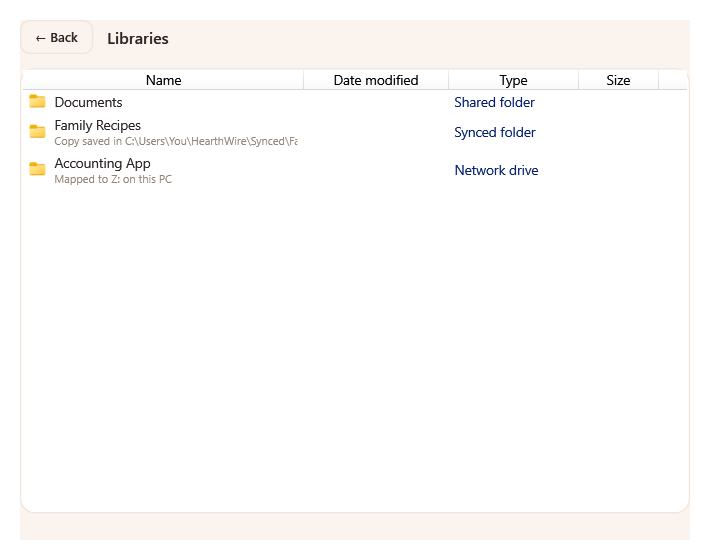
Map a folder as a network drive and open programs installed on a different computer, with no reinstalling.

🎬

Stream movies, no waiting

Map your movies folder as a drive and play straight from the other PC. It starts instantly, and nothing is copied.

📥

Send files in a drag

Drag a file onto a computer to send it. It lands in your Downloads, under a folder named "My Network Files."

🖨️

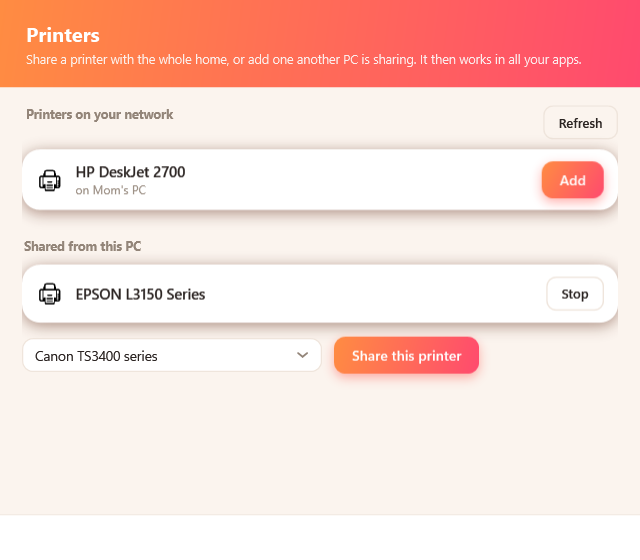
Share printers

Plug a printer into one PC and use it from every computer in the house. It shows up in all your apps, with no drivers to hunt down.

📜

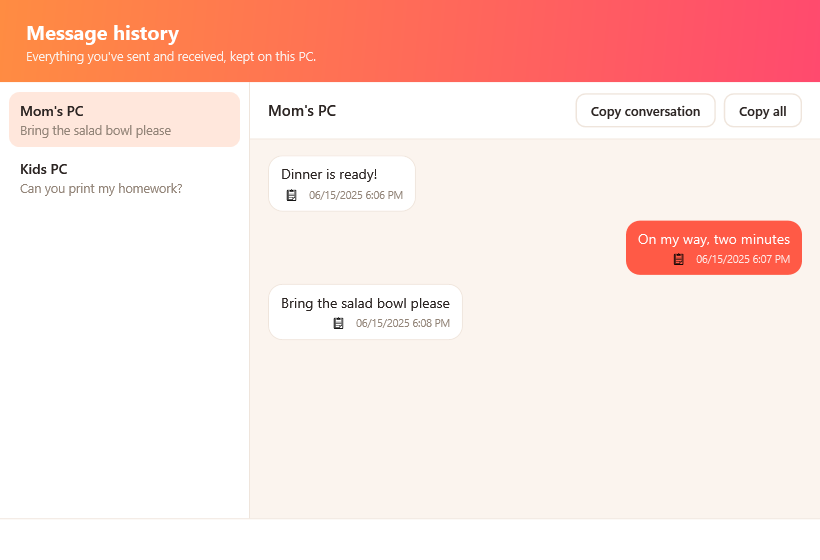
Message history

Every message you send and receive is kept on your PC, so nothing gets lost. Read past conversations and copy them with one tap.

🖥️

See and fix their screen

With their permission, view or take control of a family member's screen to help them out. They can stop it anytime.

🩺

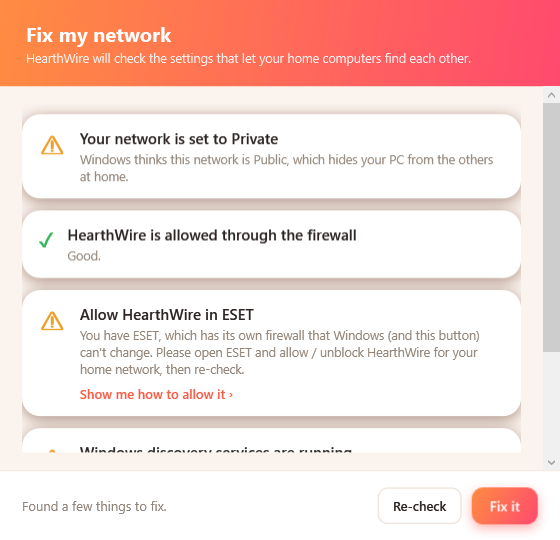
Network Doctor

One click checks and fixes the Windows settings that usually keep home computers from finding each other.

🔔

Live health indicator

A small dot tells you everything is connected, or flags exactly what to fix when a computer can't be reached.

🏠

Zero setup

It finds the other computers by itself. Create a network on one PC, then the others ask to join and you approve with a tap.

🔒

Stays on your network

No cloud, no accounts, no tracking. Messages and files travel directly between your PCs, encrypted.

🌐

11 languages

Fully translated and switches live, following your Windows language automatically. Change it anytime.
See it in action

A friendly, plain-language app the whole family can use.

Browsing another computer's shared files with a photo gallery view
Open shared filesBrowse what others share, with a photo gallery view.
Network drives window for running programs from another PC
Run programs from another PCMap a shared folder as a drive, just like at the office.
Printers window: share a printer or add one from another PC
Share a printerPlug it into one PC, print from every computer at home.
Message history window with past conversations as chat bubbles
Message historyRead past conversations and copy them in one tap.
Network Doctor checking and fixing Windows network settings
Fix the network in one clickNetwork Doctor finds and repairs what blocks a home network.
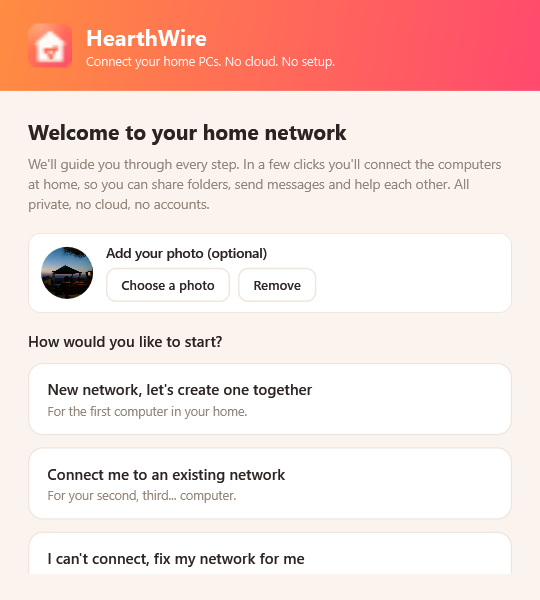
Onboarding screen to create or join a home network
Create or join in secondsOne PC creates the network, the rest ask to join and you approve.
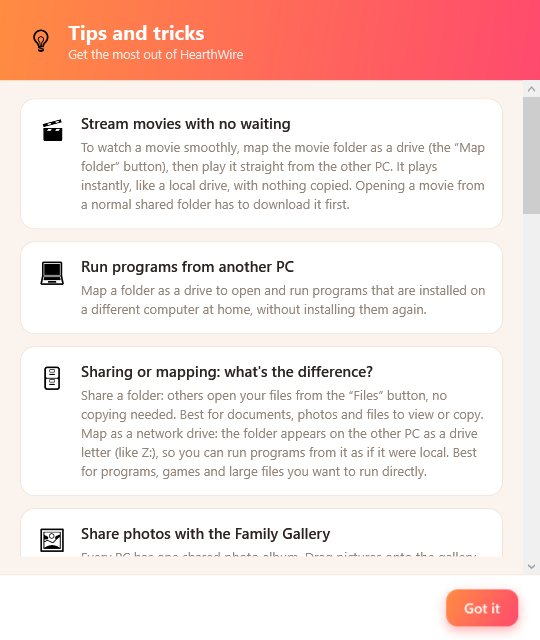
Tips and tricks window inside HearthWire
Helpful tips built inLittle tips that help everyone get the most out of it.
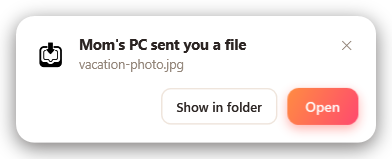
A popup showing a file arrived from another computer
Files you can findEach file arrives with Open and Show in folder.

Set up in under a minute

No account, no fuss. Install it and your computers find each other.

Install on each PC

Put HearthWire on every computer at home, from the Microsoft Store.

Create or join

On the first PC, create a home network. On the others, choose "Join", then approve the matching number that pops up.

That's it

Message, share, sync, and help each other. HearthWire runs quietly in your tray, always ready.

🔒

Private by design

No accounts, no servers, no cloud. Your messages and files travel directly between your own computers over your home network, encrypted. We never see any of it.

A note on honesty: HearthWire works on your local home network, not over the internet. Seeing or controlling another person's screen always needs their permission first, and they can stop it at any moment.

Privacy Policy · Terms of Use

Bring your home computers together.

🛍 Get it on theMicrosoft Store Windows 10 & 11 · 64-bit
Enlarged screenshot